Google TV
- 3.9
- Rating
- 10.00B
- Installs
- Free
- Price

 Analysis by App-foxy
I see Google TV as a useful starting point for people who want their movies and shows gathered in one place, but not as a complete replacement for every streaming service. After spending time with the app, my impression is that its biggest strength is organization: it helps turn a collection of separate entertainment subscriptions into something easier to browse. Its biggest weakness is that the experience still depends heavily on which services you use and what those services allow the app to show.
That balance matters. Google TV is a free app from Google LLC in the video players and editors category, and its enormous reach makes it familiar to many Android users. It has passed ten billion installs and holds an average rating of 3.9 from around 2.8 million ratings, which suggests a broadly useful product with some persistent frustrations. I think that is a fair summary: it can make choosing something to watch less tiring, but it cannot remove the fragmentation built into modern streaming.
What Google TV does best in everyday use
The first thing I noticed is that the app is more useful as a discovery layer than as a traditional video player. Instead of opening one service, browsing its home screen, then repeating the process elsewhere, I can use Google TV to look across available entertainment and decide what deserves my attention. That simple change is valuable when I remember a film but not which service carries it.
In-Depth Coverage of Google TV
The home experience works best when I treat it as a personal shortlist rather than an endless catalog. I can browse recommendations, inspect a title, and decide whether it is worth opening the relevant provider. This is particularly handy when I have a specific mood in mind, such as a light comedy for a short evening or a longer film for the weekend. The app reduces the number of separate searches I need to perform.
One practical workflow is to use the app before settling down for the night. I can save interesting titles while I have time to browse, then return later when I actually want to watch something. That separates discovery from viewing, which sounds minor but helps avoid the familiar situation of spending longer choosing than watching. Google TV is at its best when it becomes a decision-making tool, not just another screen full of posters.
The title pages are also useful because they bring together the basic information needed for a quick choice. I can check what a film or show is about, look at its presentation, and see where it may be available. I do not have to remember every subscription I pay for before beginning the search. For households with several services, this central view can save real time.
Another strength is the connection between the app and Google’s wider entertainment ecosystem. If I already use Google on my phone, the interface feels relatively familiar rather than requiring me to learn a completely separate way of navigating. That familiarity is one reason I would recommend it to someone who wants a low-effort way to browse without building a complicated media setup.
A helpful companion for scattered subscriptions
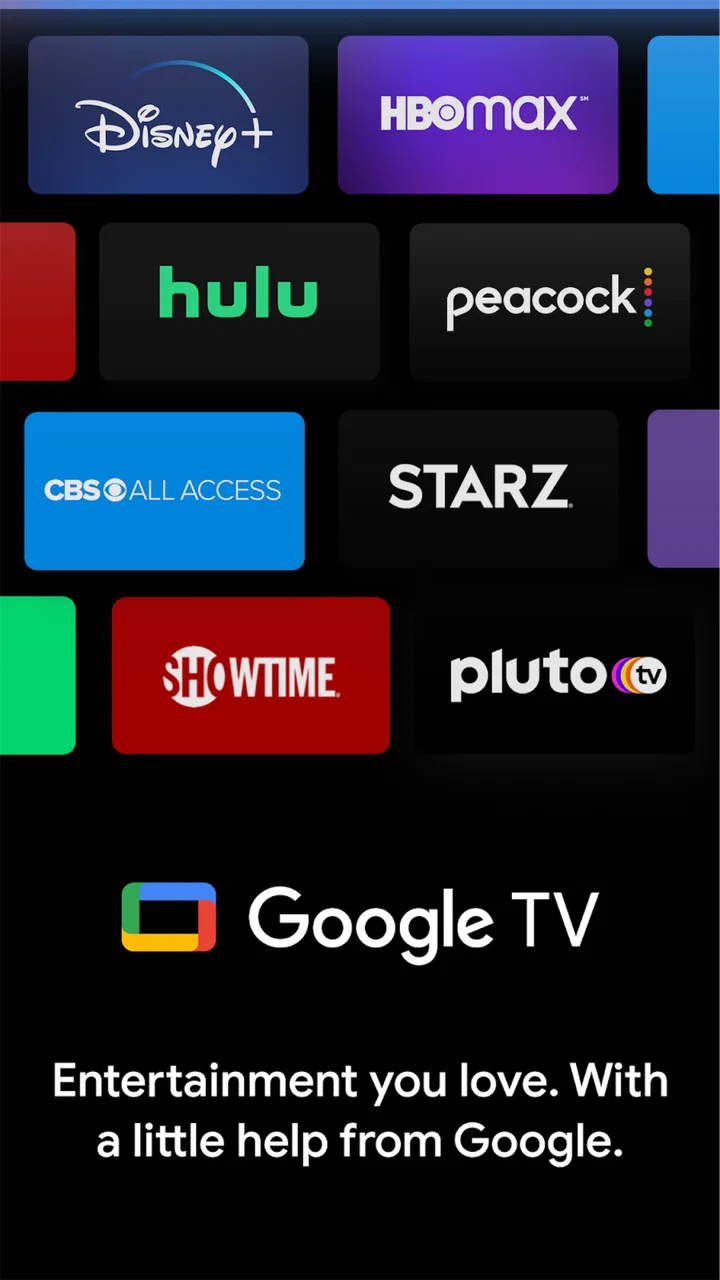
Google TV is especially convincing for people who subscribe to more than one streaming platform. The app does not magically combine every viewing experience into one identical player, but it can make the first step—finding something—feel more unified. I can begin with a title or genre instead of guessing which individual service might have it.
This is different from using a service’s own application. A provider’s app is usually better for exploring its exclusive catalog, managing playback details, or finding recommendations based only on its own library. Google TV is better for the broader question: what can I watch across the services I use? I would keep both types of app rather than expecting one to replace the other.
That distinction also explains why the app may feel less impressive to someone who mainly watches one service. If nearly all of your viewing happens in one place, opening that provider directly may be faster. Google TV earns its place when the problem is not a lack of content but too many separate places to look.
Where the experience becomes less simple
The main limitation is that a unified browsing screen does not guarantee a unified viewing experience. When I select something, I may still move into another service, and the exact path can depend on availability and account access. The app helps me locate content, but it does not erase the boundaries between providers.
This can create small moments of friction. A title may look appealing in the central catalog, yet the next step may involve checking whether I have the right subscription or whether another payment is required. People who expect every result to play immediately inside Google TV may find the transition less seamless than the browsing design suggests.
I also think recommendations should be treated as suggestions rather than a perfect reflection of personal taste. The app can help surface possibilities, but no recommendation system understands every household equally well. A shared device, changing viewing habits, or a family with very different preferences can make the home screen feel mixed. I still prefer to use my own judgment and search when I know exactly what I want.
You May Also Like

 Hill Climb Racing
Why Hill Climb Racing Still Turns Crashes Into One More Run
A tiny car, a bumpy hill and one more upgrade: Hill Climb Racing keeps resurfacing because its simple chaos makes every near-miss feel personal.

 AliExpress - Shopping App
AliExpress Makes Global Shopping Feel Personal, but Shoppers Bear the Risk
AliExpress turns a global marketplace into a pocket-sized discovery engine. Its reach is useful, its shopping loop compelling, and its trade-offs easy to miss.

 Lords Mobile: Kingdom Wars
Lords Mobile Is a Kingdom-Building Routine, Not a Quick Match
A case-by-case verdict on the building, battles, device demands, and social commitments that make Lords Mobile rewarding for some players and exhausting for others.

 PDF Scanner app - TapScanner
TapScanner Makes Paperwork Easier to Capture, Check, and Share
TapScanner makes scanning with a phone feel less like a rescue operation and more like a dependable step in getting work done. Its capture tools are useful, though not flawless.

 Block Blast!
Block Blast! Shows How Much a Puzzle Game Can Leave Out
A quiet grid game shows why puzzle players increasingly value instant clarity, repeatable skill and low-pressure play—and where the genre still needs to catch up.

 Family Space
Family Space Review: A Shared Routine That Makes Family Life Easier
A parenting app earns its place not by adding more noise, but by making everyday coordination easier. Family Space gets that balance mostly right.
More From Our News Desk
View All News


There is another trade-off between convenience and control. A central entertainment app is useful because it presents more options, but more options can also make browsing feel busy. If I open it without any idea of what I want, I can still fall into the same scrolling habit found in individual streaming apps. The interface reduces searching across services; it does not automatically solve indecision.
For that reason, I would not choose Google TV as my only tool for a carefully managed personal media library. Someone who wants detailed local-file organization, advanced playback controls, or a highly customized home theater workflow may prefer a dedicated media player or a service-specific application. Google TV is designed around finding and accessing mainstream entertainment, not replacing every kind of video software.
Small habits that make it more useful
I get more from the app when I start with a clear purpose. Searching for a particular actor, film, or series is usually more efficient than browsing without direction. If I am undecided, I narrow the choice by mood or length before opening the app. This keeps the discovery process practical instead of turning it into background scrolling.
I also recommend checking the viewing route before promising a title to other people. A film may be easy to discover but less convenient to watch if it leads to a service nobody in the household uses. That quick check prevents the common disappointment of selecting a movie, preparing snacks, and only then discovering an account or availability complication.
For families, I would use Google TV as a shared starting point but keep expectations realistic. It can help everyone see the same broad set of options, yet the final decision may still depend on separate subscriptions and age suitability. The content rating for the app is Teen, so parents should still make their own judgment about what individual films and shows are appropriate for children.
On a phone, the app is most convenient when I am planning rather than watching for a long period. I can browse while commuting, waiting, or taking a short break, then continue on the appropriate viewing device when I am ready. That makes it a useful companion for planning entertainment, even when the phone itself is not my preferred screen for full-length viewing.
Who should use it, and who should skip it
I would recommend Google TV to anyone who regularly forgets where a title is available, moves between several streaming services, or wants a single place to build ideas for future viewing. It is also a sensible choice for Android users who prefer a familiar Google-centered experience and do not want to maintain a separate list of every service they use.
It can be particularly helpful for couples or families with different tastes. Instead of each person searching independently, the household can use one discovery point to collect possible choices. The app does not settle disagreements, of course, but it makes the pool of options easier to see and discuss.
I would be more cautious about recommending it to someone who watches almost everything through one provider. In that case, the provider’s own app may offer a more direct route, and adding another discovery layer could feel unnecessary. I would also point enthusiasts toward a dedicated media-management solution if they need precise control over personal video files, detailed libraries, or specialized playback behavior.
The free price makes trying it easy, although the wider entertainment journey can still involve paid services or purchases. In-app purchase amounts range from a few cents to nearly one thousand dollars per item, so I would pay attention to the final transaction screen rather than assuming that every title found in the app is included with an existing subscription. The app itself costs nothing to install, but discovery and access are not always the same thing.
Its long presence in the market also helps explain why it feels like a mature utility rather than a novelty. Google TV was released on June 3, 2011, and the scale of its adoption shows that many people find value in having Google involved in entertainment discovery. At the same time, a large install base does not mean every user will enjoy the same experience; availability, subscriptions, device habits, and personal expectations still matter more than popularity.
How it compares when you are choosing a starting point
When I decide where to begin a search, I think of Google TV as a cross-service guide, a streaming provider’s app as a specialist shop, and a local media player as a library manager. Those are different jobs. If I want to find a film without remembering its provider, the guide is useful; if I already know the service, going straight there often involves fewer steps. For files I own, a player built around local libraries is the more natural fit.
A useful habit is to search broadly first, then check the destination before committing to a group viewing plan. If the title opens through a service that everyone can access, the discovery layer has done its job. If not, I can choose another option before the evening is organized around a film nobody can play. This small verification step matters more than saving a long list of titles I may never watch.
One question people often have is whether they must abandon their existing streaming apps to use it. I would not approach it that way. Its strongest role is alongside them: use it to explore and compare, then move to the provider when that is where playback or account management works best. Keeping both routes available avoids treating a helpful hub as a replacement it was not designed to be.
Another practical consideration is whether it makes sense for a household with varied tastes. I think it can, provided everyone treats its recommendations as a shared menu rather than a personalized verdict. For a specific family movie night, I would have each person suggest a title, then check access and suitability before choosing. That gives the app a concrete job and limits the frustration of endless group scrolling.
My final recommendation
After using it as a discovery and planning tool, I think Google TV succeeds at a specific job: bringing scattered movie and show choices closer together so I can decide what to watch with less jumping between apps. It is not a universal replacement for streaming services, and it is not the best answer for people who want a deeply managed personal video library. Its value comes from reducing the first layer of friction.
The most realistic way to use it is alongside the services you already have. I would browse in Google TV, save or note promising titles, verify where they can be watched, and then use the relevant provider for the actual viewing when necessary. That workflow keeps its strengths while avoiding the expectation that every title will behave identically.
My verdict is positive but specific: choose Google TV if your main problem is finding something across several entertainment sources. Skip it if your viewing is already simple, highly specialized, or centered on local files and advanced playback. For the right user, the app is a convenient map through a crowded streaming landscape. It does not make the landscape smaller, but it makes navigating it noticeably easier.
FAQs for Google TV
01What devices are compatible with Google TV?
Google TV is compatible with a wide range of devices, including Android smartphones and tablets, iOS devices, and most modern smart TVs. It can also be used with Chromecast with Google TV and other streaming devices. Make sure your device meets the minimum operating system requirements for the best experience.
02Does Google TV offer live TV options?
Yes, Google TV provides access to live TV through various apps and services available on the platform. You can integrate live TV streaming services like YouTube TV, Sling, or Hulu + Live TV to access live programming. Availability may vary depending on your region and service subscriptions.
03Can I customize my Google TV home screen?
Absolutely! Google TV allows you to customize your home screen to fit your preferences. You can organize apps, add favorite channels, and receive personalized recommendations based on your viewing habits. This personalization helps create a more tailored and engaging user experience.
04Is Google TV available worldwide?
Google TV is available in many countries, but not worldwide. The availability of certain features and content may vary depending on your location. To check if Google TV is available in your country, visit the official Google website or the app store on your device for the latest information.
05How does Google TV handle content recommendations?
Google TV uses advanced algorithms to provide personalized content recommendations based on your viewing history, subscribed services, and personal preferences. The more you use the platform, the better it becomes at suggesting content you might enjoy, making it easier to discover new shows and movies.
Pros
- User-friendly interface for easy navigation.
- Integrates multiple streaming services seamlessly.
- Personalized recommendations improve with use.
- Supports voice search for hands-free control.
- High-quality streaming with minimal buffering.
Cons
- Requires strong internet connection for optimal use.
- Limited offline viewing options available.
- Some features require a Google account.
- Ads can be intrusive in free content.
- Occasional bugs with certain streaming apps.

Google TV
Gallery